Smart WiFi Switches for Home: Features, Uses & Buying Guide
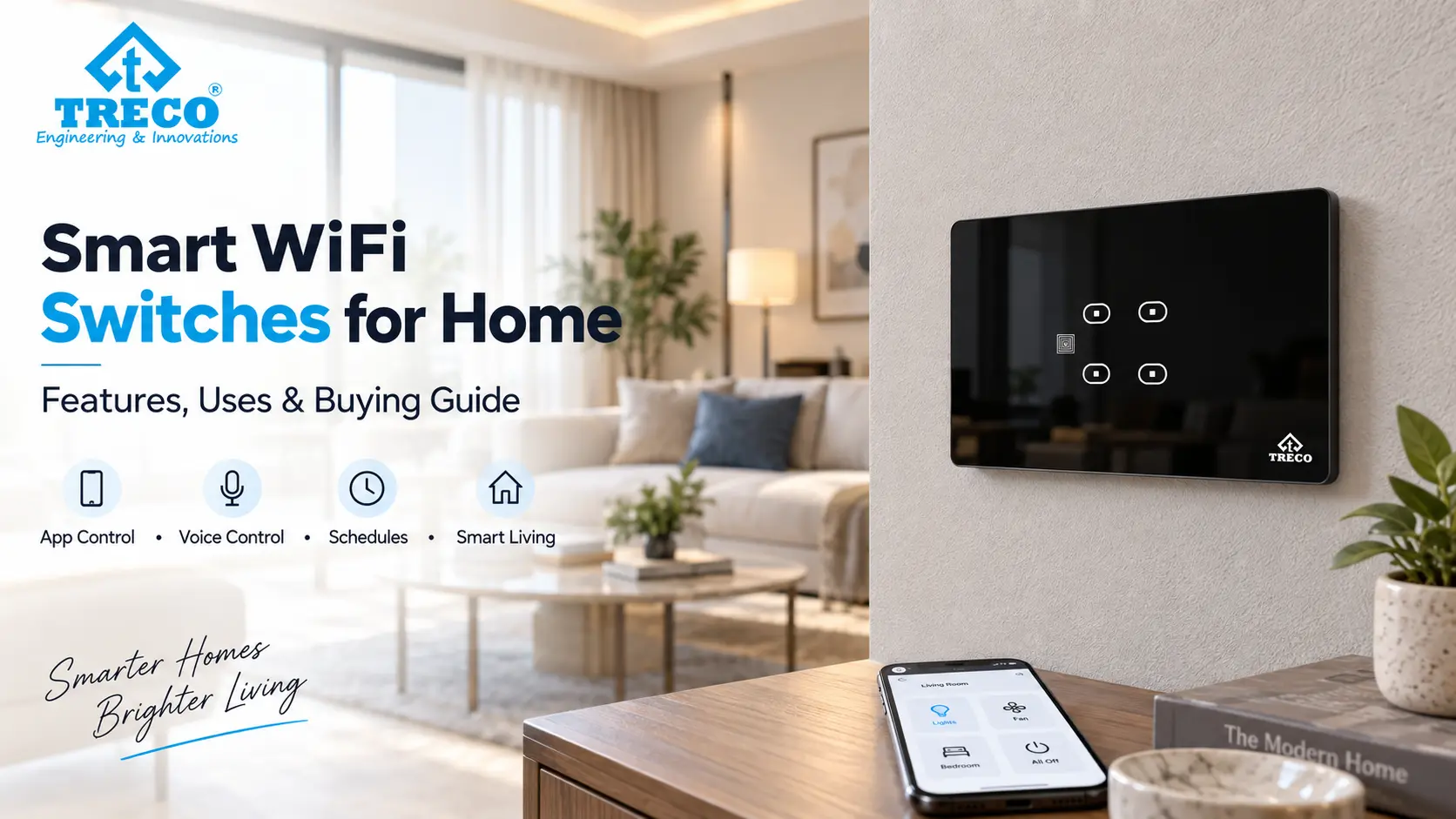
The wall switch is still one of the most frequently used controls in a home. A smart WiFi switch keeps that familiar physical control while adding connected features that can make lighting, fans and selected electrical circuits easier to manage.
Depending on the model, a smart switch may support mobile-app control, schedules, scenes, automation routines and compatible voice platforms. That can be useful in both new homes and existing apartments, but the switch still has to match the electrical load, wiring and switch box behind the wall.
Quick answer: A smart WiFi switch is a connected electrical switch that controls a compatible light, fan or other supported load from the wall while also providing network-based control. Depending on the product, this can include mobile-app access, schedules, scenes and voice control. Before choosing one, check its electrical rating, switch configuration, neutral-wire requirement, switch-box space, WiFi compatibility, offline behaviour and support for the devices you want to control.
In This Guide
- What a smart WiFi switch is
- How a WiFi smart switch works
- WiFi switch vs normal switch
- Useful smart switch features
- Smart WiFi switch boards
- Installation and wiring checks
- Using smart switches in existing homes
- How to choose the right smart switch
- Smart WiFi switch price factors
- Choosing switches room by room
- What happens without internet
- Frequently asked questions
What Is a Smart WiFi Switch?
A smart WiFi switch is a wall-mounted electrical control that combines conventional switching with network connectivity. Instead of replacing physical control with an app, a well-planned smart switch lets people continue using the wall panel normally while adding connected functions where they are useful. For a wider connected-home project, comparing home automation companies in India can help you evaluate switch compatibility alongside lighting, sensors, curtains and other controls.
For example, a bedroom light can still be switched on at the wall, while a compatible connected switch may also allow it to be turned off from a phone, included in a bedtime schedule or operated through a supported voice assistant.
This makes a WiFi switch different from a purely app-controlled gadget. It remains part of the electrical installation and has to be selected with the same care as other mains-powered controls.
How Does a Smart WiFi Switch Work?
At the electrical level, the switch controls the circuit connected to it. The smart part adds a communication layer between the switch and a compatible app, platform or automation rule.
Simple Smart WiFi Switch Flow
Wall touch / mobile app / schedule / voice command → smart switch → compatible light, fan or electrical load
The wall control remains the most direct way to use the switch. When connected features are configured, the same circuit can also respond to commands coming through the supported network or control platform.
Some products communicate directly with the home WiFi network. Others may use a different local architecture or an additional controller. Because products differ, network requirements should be checked from the specification of the exact switch rather than assumed.
For the wider connected-home architecture behind switches, sensors and controllers, home automation using IoT covers how devices, communication and automation layers work together.
Smart WiFi Switch vs Normal Electrical Switch
| Feature | Normal Switch | Smart WiFi Switch |
|---|---|---|
| Wall control | Yes | Yes, depending on product design |
| Remote control | No | Available on compatible connected models |
| Schedules | No | Often supported through the connected platform |
| Automation scenes | No | Possible when the switch and system support them |
| Voice control | No | Possible with supported voice integrations |
| Network requirement | None | Required for connected features on WiFi models |
| Electrical compatibility | Must suit circuit and load | Must suit circuit, load and smart-switch requirements |
| Installation planning | Relatively straightforward | May require neutral, sufficient box depth and network checks |
The main advantage is not simply being able to switch a light from a phone. Connected switching becomes more useful when it removes repeated actions, makes several controls work together or improves access to a switch that is otherwise inconvenient to reach.
Useful Features in Smart WiFi Switches for Home
Physical Wall Control
The wall panel should remain easy to operate without opening an app. This matters for children, guests, older family members and anyone who simply wants to switch a light on while entering a room.
For homes where the switch panel itself is part of the interior design, touch switches can provide a cleaner wall interface for compatible lighting, fan and socket circuits.
Mobile App Control
App control can be useful when a switch is on another floor, when selected lights need to be checked after leaving home or when several connected controls are managed from one interface.
App support should be evaluated beyond the screenshots on a product page. Check how users are added, whether rooms can be organised clearly, whether schedules are stored reliably and how the system behaves after a router or power restart.
Schedules and Timers
Schedules are useful for predictable routines. Outdoor lighting, passage lights or selected indoor circuits can follow set times instead of being operated manually every day.
A schedule is most valuable when the routine is genuinely repetitive. There is little benefit in automating a circuit whose required timing changes every day.
Scenes and Automation
A scene allows several compatible controls to respond together. A night scene, for example, might turn off selected common-area lights while keeping necessary bedside or passage lighting available.
Scenes are different from simply controlling each switch remotely. They reduce several separate actions into one useful routine.
Voice Control
Compatible voice control can help when hands are occupied or a wall switch is not nearby. Commands such as switching selected lights off can be convenient, but voice should normally remain an additional interface rather than the only way to operate an important circuit.
Compatibility with Amazon Alexa, Google Home or another voice platform should be confirmed for the exact product and app combination before purchase.
Fan and Dimming Control
Not every smart switch channel can regulate a fan or dim a light. A simple on-off channel and a fan-speed controller perform different electrical jobs. Dimming also depends on the switch, driver and light source being mutually compatible.
If a switch board includes lights, fans and sockets together, list the function of every channel before selecting the panel.
What Is a Smart WiFi Switch Board?
A smart WiFi switch board combines multiple controls into one wall panel. Depending on the configuration, one board may include switches for several lighting circuits, fan control, sockets or other compatible loads.
This is especially relevant in Indian homes, where a single switch board often controls several points in a room. The correct panel should therefore be chosen by the actual circuit requirement rather than only by its appearance.
| Switch Board Requirement | What to Check |
|---|---|
| Lighting circuits | Number of independent lights and electrical load on each channel |
| Fan control | Whether the board has compatible fan switching and speed regulation |
| Socket control | Load rating and whether that socket should actually be remotely controlled |
| Panel size | Compatibility with the installed electrical box and usable internal depth |
| Connected control | WiFi, app, schedule, scene and supported voice-platform functions |
| Offline operation | What continues to work if internet access or the cloud service is unavailable |
The number of visible touch keys is therefore not the only specification that matters. Two switch boards that look similar may be intended for completely different circuit combinations.
Smart WiFi Switch Installation: What Should Be Checked?
Installation starts with the existing electrical circuit, not the mobile app. Before fitting a smart switch, the electrician should confirm how the current switch board is wired and whether the selected smart device is compatible with that arrangement.
1. Neutral-Wire Requirement
Some connected switches require a neutral conductor at the switch location to power their electronics continuously. Others may be designed differently. Because Indian homes vary significantly in how older switch boards were wired, this should be physically checked before ordering a panel.
2. Switch-Box Size and Depth
A conventional switch may occupy less internal space than a connected touch panel or retrofit module. Measure the usable width, height and depth inside the box, not only the decorative plate visible on the wall.
3. Connected Electrical Load
Every channel has to be suitable for what it controls. Lighting, fans, motor loads and high-power appliances can have different electrical characteristics.
The switch rating should therefore be checked against the actual connected load instead of assuming that every smart switch can control every appliance.
4. WiFi Coverage
A switch installed in a location with weak network coverage may have unreliable remote connectivity even when the switch itself is working correctly.
Large homes, thick walls and distant routers can create weak areas, so network coverage should be checked at the switch location rather than only beside the router.
5. Network Compatibility
Many smart-home products have specific wireless-network requirements. The exact supported WiFi bands, security settings and setup process should be confirmed from the product specification before installation.
6. Manual Operation
Ask what happens when the router is rebooting, the internet connection fails or the app account cannot be reached. Everyday lighting should not become unnecessarily difficult to operate because a connected feature is temporarily unavailable.
Can Smart WiFi Switches Be Installed in an Existing Home?
Yes, many existing homes can be upgraded with smart switches, but retrofit suitability depends on the wiring and physical switch box already in the wall. An apartment does not automatically need complete rewiring simply because the owner wants connected controls.
The important checks are:
- switch-box width, height and usable depth;
- neutral-wire availability where required;
- condition of the existing electrical wiring;
- number and type of connected loads;
- fan-regulator or dimming requirements;
- WiFi coverage at each planned switch location;
- how the switch operates without internet access; and
- whether the installation can be serviced later without damaging the interior.
Where replacing the visible switch board is not practical, compatible smart modules can be another way to add connected control to selected electrical points while retaining suitable existing wall switches.
Smart WiFi Switches for New Homes vs Existing Homes
| Planning Factor | New Home | Existing Home |
|---|---|---|
| Switch boxes | Can be sized before wall finishing | Existing dimensions must be checked |
| Neutral wiring | Can be planned at required locations | Availability has to be confirmed |
| Circuit layout | Can be organised around automation requirements | Usually has to work with the existing circuit design |
| Network planning | Access points can be planned early | Existing WiFi coverage may need improvement |
| Installation flexibility | High | Depends on wiring, boxes and finished interiors |
| Best approach | Plan switch functions before electrical finishing | Survey first, then choose compatible retrofit controls |
How to Choose a Smart WiFi Switch for Your Home
A suitable switch starts with the room and the circuits being controlled. Choosing by screen appearance or app features first can lead to problems later when the panel does not match the wiring or electrical load.
Count the Required Controls
Write down every light, fan, socket and other compatible load connected to the existing board. Also note whether any light needs dimming or any fan requires speed regulation.
Separate On-Off Loads from Variable Controls
A standard on-off lighting channel is different from a dimmer or fan regulator. Treat these as separate functions when specifying the switch board.
Check Local Control First
A wall switch is used far more often than most automation apps. Touch response, clear identification of controls and predictable local operation therefore matter every day.
Then Check Connected Features
Once the electrical requirements are correct, compare the connected functions: app access, schedules, automation scenes, account sharing, voice integrations, remote operation and the behaviour of the switch when the network is unavailable.
Consider Future Expansion
A homeowner may begin with one bedroom or living room and later add more connected controls. It is useful to know whether additional switches can work within the same ecosystem without creating a separate app and login for every room.
If several device categories will eventually work together rather than only individual switches, a smart home automation system provides the broader framework for coordinating controls, sensors and automation routines.
What Affects Smart WiFi Switch Price in India?
A smart WiFi switch price cannot be compared fairly from the number of keys alone. Two panels with the same visible size may support different loads, control methods and installation requirements.
| Price Factor | Why It Matters |
|---|---|
| Number of controls | More independent circuits generally require more switching channels |
| Fan control | Fan regulation requires functions beyond simple on-off switching |
| Dimming | Compatible dimming hardware adds another control requirement |
| Socket or higher-load switching | The electrical rating and design must suit the intended circuit |
| Panel construction and finish | Materials, touch surface and design differ between products |
| Connected functions | App, scenes, scheduling and ecosystem support vary |
| Installation work | Existing wiring, switch-box modifications or network work can affect project cost |
| After-sales support | Installation assistance, configuration, warranty and future servicing have value beyond the hardware price |
For that reason, compare a switch by the exact circuit configuration you need. A lower-priced panel that cannot operate the fan, dimmer or load in the room is not a meaningful alternative to a correctly specified one.
Which Smart WiFi Switches Make Sense in Different Rooms?
Living Room
Living rooms often have the largest number of controls: multiple lighting circuits, decorative lights, a fan and sometimes curtains or entertainment equipment. A useful panel groups the frequently used functions clearly rather than placing every possible device on one complicated control surface.
Bedroom
A bedroom benefits from convenient bedside or entrance control of lights and fans. Connected switching can also make a night routine more practical, especially when selected lights need to be switched off together.
Kitchen
Kitchen switching should remain straightforward. Lighting and selected ventilation controls may be useful candidates, while remote operation of cooking or heating appliances should never be assumed safe simply because a smart switch is available.
Passage and Staircase
Schedules or compatible sensors can reduce repeated manual switching in passages and staircases. In these locations, automatic behaviour should be planned around actual movement patterns rather than a fixed timer that leaves someone in the dark.
Home Office
A home office may have separate general lighting, task lighting and fan or climate controls. Connected switches are most useful here when they simplify a repeatable work-start or shutdown routine.
WiFi Touch Switch vs Retrofit Smart Module
Both can add connected control, but they solve different installation requirements.
| Factor | WiFi Touch Switch | Retrofit Smart Module |
|---|---|---|
| Visible wall control | Replaces or upgrades the visible switch interface | Can retain compatible existing switches |
| Design change | Provides a new switch-panel appearance | May leave the existing plate visually unchanged |
| Space requirement | Must fit the selected wall box | Requires suitable space behind or near the existing control |
| Best suited to | Homes wanting both a modern panel and connected control | Selected retrofit situations where the existing switch appearance is retained |
| Electrical checks | Load, wiring, neutral requirements and installation space must be checked for the exact product | |
Do Smart WiFi Switches Work Without Internet?
The answer depends on the switch architecture. Many smart wall switches are designed so that basic physical control remains available at the panel, while functions such as remote control from outside the home, cloud-based automation or voice-assistant commands may rely on an internet connection.
Some connected functions can also depend on the local network or cloud service even when the switch itself has power. For this reason, one of the most useful questions to ask before buying is: what can I still control normally if the internet is down?
A good home setup should fail gracefully. Temporary loss of connectivity should not turn an ordinary task such as switching on a bedroom light into a technical problem.
Do Smart WiFi Switches Need a 2.4 GHz Network?
Network support varies by product. Many connected home devices are designed for specific WiFi bands, but it is not safe to assume that every smart switch has the same requirement.
Check the exact model's supported frequency band and router settings before installation. This is particularly important with mesh systems or routers that combine multiple bands under one network name, because the initial pairing process can vary between products.
Can Smart WiFi Switches Control Lights, Fans and Appliances?
They can control only the loads the selected switch is designed and rated to handle.
Lighting circuits are commonly controlled by smart switches, while fans may need a compatible fan regulator if speed control is required. Sockets and appliances need additional attention because electrical loads can vary widely. A switch intended for lighting should not automatically be used for a high-current appliance.
Always compare the device's rated load and supported load type with the actual circuit before installation.
Smart WiFi Switches and Voice Assistants
Voice control can be helpful for selected routines, particularly when someone is entering a room with occupied hands, preparing to sleep or controlling several compatible lights together.
The useful part is not the novelty of saying a command. It is whether the voice platform can recognise rooms and devices consistently and whether the same functions remain available through the wall controls when voice access is not convenient.
Compatibility also changes by model. A product family may include both connected and non-connected versions, so Alexa or Google Home support should be verified for the exact switch being installed.
Smart Switch, Smart Switch Board and Home Automation: What Is the Difference?
| Term | Meaning |
|---|---|
| Smart switch | A connected switch controlling one or more compatible electrical circuits |
| Smart switch board | A wall panel containing several smart controls or functions in one location |
| WiFi touch switch | A touch-operated smart switch that uses WiFi for supported connected features |
| Smart module | A connected control module used with compatible existing circuits or switches |
| Home automation system | A wider system coordinating several devices, rooms, sensors, scenes and control interfaces |
This distinction matters when planning a home. Someone who only wants connected bedroom lighting may need a few smart switches, while a villa coordinating lighting, sensors, curtains and other functions needs a more structured automation design.
Common Mistakes When Buying Smart WiFi Switches
- Choosing by appearance alone: The switch still has to match the electrical circuit behind the wall.
- Ignoring the load rating: A smart switch is not automatically suitable for every light, fan, motor or appliance.
- Assuming neutral wiring is available: Older installations should be physically checked.
- Ignoring switch-box depth: The decorative plate may fit while the electronics behind it do not.
- Depending only on app control: Basic everyday functions should remain simple at the wall.
- Assuming all WiFi products use the same network settings: Compatibility should be checked model by model.
- Buying unrelated ecosystems room by room: Multiple apps and accounts can make a home harder to manage later.
- Automating unsafe appliances: Remote switching should only be used where the appliance and electrical design allow it.
- Skipping after-sales planning: Connected electrical controls may need future configuration, replacement or troubleshooting.
Are Smart WiFi Switches Worth It?
Smart WiFi switches are most worthwhile when they improve controls that are already used repeatedly. A bedroom switch that can be included in a bedtime routine, a difficult-to-reach lighting circuit or a living-room panel that coordinates several lights can provide practical convenience every day.
They are less useful when connectivity is added without solving a real problem. If operating the smart feature takes longer than pressing the normal wall switch, the installation has not actually become easier.
For homeowners comparing the wider range of connected controls beyond wall switching, smart home devices include sensors, smart modules, lighting controls, curtain motors and other devices that can be combined according to the property.
Practical Selection Checklist
Before finalising a smart WiFi switch, write down the circuits it will control, the load on every channel, whether fan or dimming control is required, available neutral wiring, switch-box dimensions, WiFi coverage and which connected features are actually useful to the household. This short electrical and usage check is more valuable than comparing products only by the number of app features shown on the box.
Frequently Asked Questions About Smart WiFi Switches
What is a smart WiFi switch?
A smart WiFi switch is a connected electrical switch that controls a compatible light, fan or other supported circuit from a wall panel while also offering network-based features such as app control, schedules or compatible voice control depending on the model.
How does a smart WiFi switch work?
The switch controls the electrical circuit in the wall and adds connected electronics that can receive supported commands from an app, schedule, automation routine or voice platform. The exact architecture varies by product.
Do smart WiFi switches work without internet?
It depends on the model. Basic physical wall control may remain available on many switches, while remote access, cloud functions and some voice commands may require the internet.
Do WiFi smart switches need a neutral wire?
Some do and some use different wiring designs. Check the exact switch specification and existing electrical wiring before purchase. Do not assume that a switch will work simply because another smart switch was installed elsewhere in the home.
Can a smart WiFi switch be installed in an existing home?
Often yes. The electrician should first check the switch-box size and depth, existing wiring, neutral availability, connected load and network coverage. These conditions determine whether the installation is a straightforward retrofit.
Can smart WiFi switches control fans?
Only when the selected switch supports the required fan load and function. Fan speed regulation needs a compatible regulator or fan-control channel; a basic on-off lighting switch should not be treated as a fan controller.
Can smart WiFi switches work with Alexa or Google Home?
Many connected switches offer compatible voice-assistant integration, but support varies between products and apps. Confirm Alexa or Google Home support for the exact model before purchase.
What should I check before buying a smart WiFi switch?
Check the number of circuits, electrical ratings, load type, fan or dimmer requirements, switch-box dimensions, neutral requirement, WiFi compatibility, wall operation, app and voice support, offline behaviour, installation support, warranty and future expansion.
What is the difference between a smart switch and a smart switch board?
A smart switch is an individual connected control, while a smart switch board usually groups several switches or functions into one wall panel. A board may include multiple lighting keys, fan control or other compatible circuits.
Is a WiFi touch switch better than a normal switch?
It is better only when the connected functions are useful for the home. A normal switch is simple and reliable for manual control, while a WiFi touch switch can add remote access, schedules and automation without removing the wall interface. The right choice depends on the room, wiring and required control.
Conclusion
A smart WiFi switch should make an electrical control easier to use, not merely make it connected. The best installation begins with the circuits in the room: which lights, fans and other loads need control, how the existing switch box is wired and which functions are actually repeated often enough to automate.
For an existing Indian home, check neutral availability, box depth, electrical ratings and WiFi coverage before choosing the panel. For a new home, plan switch-box dimensions, circuit grouping and network coverage before interiors are finished.
Once those fundamentals are correct, app access, schedules, scenes and voice control can add genuine convenience while the physical wall switch continues to provide straightforward everyday control.