Best Smart Home Devices in India: 12 Useful Picks for Your Home
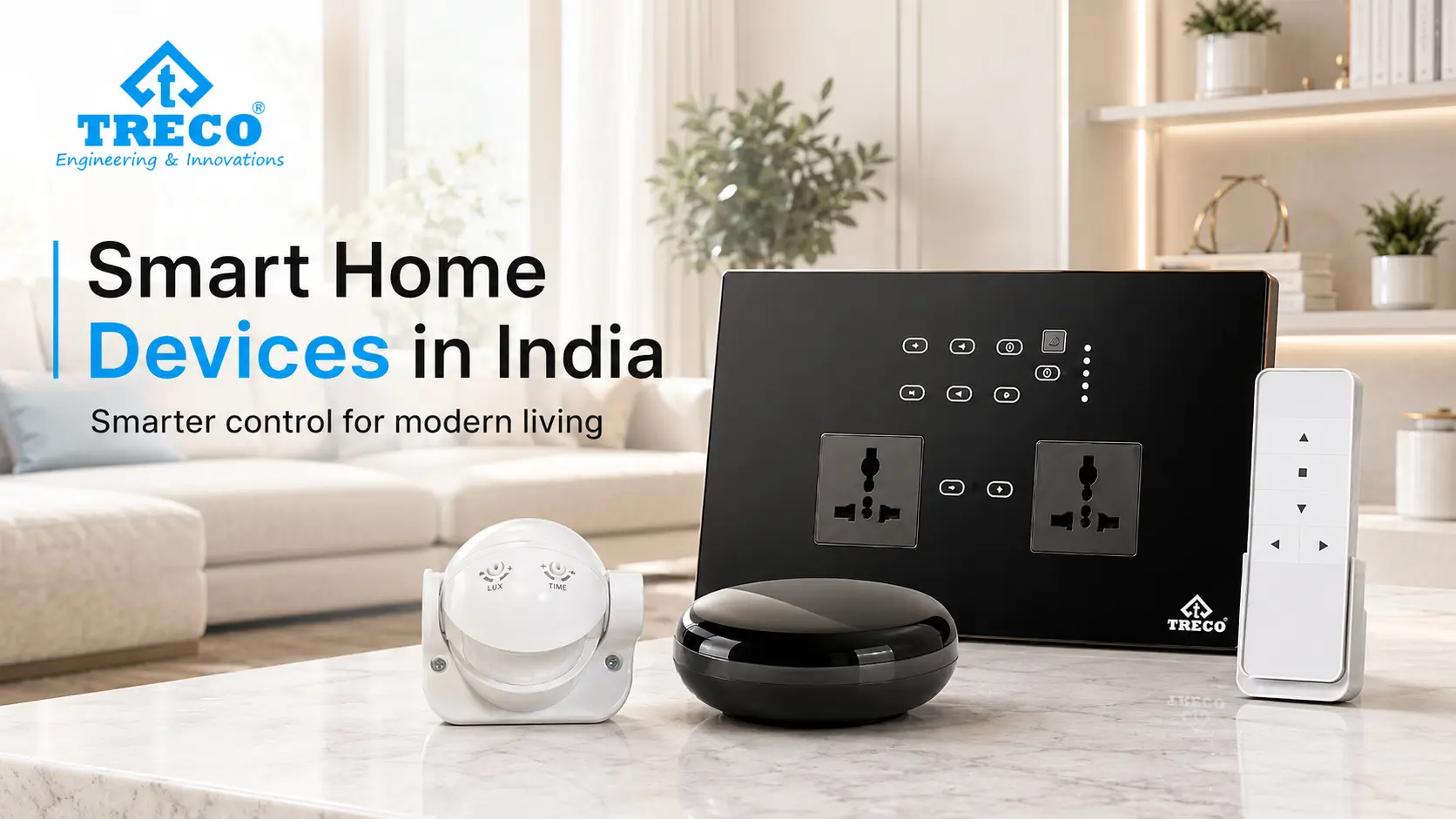
Smart home devices can make everyday tasks easier without turning the house into a complicated technology project. A touch switch can simplify lighting control, a motion sensor can handle passage lights automatically, and a curtain motor can open or close curtains without manual pulling.
For homes in India, the most useful smart home products are usually the ones that fit the existing wiring, room layout and daily routine. Instead of buying every connected gadget available, it is better to choose devices that solve a clear problem and remain simple for everyone at home to use.
Quick answer: Some of the best smart home devices for everyday use include smart touch switches, retrofit modules, lighting controls, motion sensors, curtain motors, smart plugs, door locks, video doorbells, cameras and door or window sensors. These smart home gadgets can improve control, convenience, security or automation, but the right choices depend on wiring, electrical load, compatibility, room use and whether the home is new or already finished.
In This Guide
What Are Smart Home Devices?
Smart home devices are connected products that control, automate or monitor a specific function in a home. Depending on the device, control may come from a touch switch, mobile app, remote, sensor, timer, automation scene or compatible voice platform. If several device categories need to work together, comparing home automation companies in India can help clarify compatibility, installation and support before products are selected.
A normal wall switch performs one manual action. A smart switch can still provide physical wall control while selected connected versions may also support schedules, scenes or app-based operation. A normal curtain track requires manual pulling, while a motorized curtain system can open or close through a compatible switch, remote or connected control.
The important point is that a smart device should solve a practical problem. Useful smart home products and gadgets can include controls, sensors, motors, security devices and connected appliances, but a home does not need every category. The better approach is to choose devices that reduce repeated effort, improve control or support daily routines.
Smart Home Devices at a Glance
| Smart Home Device | Main Purpose | Useful Locations | Typical Control | Retrofit Potential |
|---|---|---|---|---|
| Smart touch switch | Control lights, fans, sockets or compatible loads from a modern wall panel | Living room, bedroom, kitchen, office | Touch; selected models may add app or voice control | Depends on wiring, box size and load |
| Smart module | Add connected control behind compatible existing switches or loads | Existing apartments, bedrooms, living areas | Existing switch plus supported app or automation controls | Often useful for retrofit after electrical checks |
| Motion sensor | Trigger lighting or compatible automation when movement is detected | Passages, stairs, washrooms, wardrobes, parking | Automatic sensor trigger | Usually practical when suitable mounting and wiring are available |
| Lighting controller | Create scenes, schedules, dimming or zone-based lighting control | Living rooms, bedrooms, villas, offices | Switch, app, schedule, sensor or scene | Depends on lighting circuit design |
| Smart curtain motor | Open or close compatible curtains without manual pulling | Living room, bedroom, large windows | Remote, wall control, app, schedule or compatible scene | Possible after checking track, power and mounting space |
| Smart plug | Add convenient control to selected plug-in appliances within rated limits | Bedrooms, study, small appliances | Button, app or schedule depending on model | High |
| Smart door lock | Manage controlled access at the entrance | Main entrance, selected internal doors | PIN, card, fingerprint, key or app depending on model | Depends on door and lock compatibility |
| Video doorbell / camera | Provide visual monitoring and visitor awareness | Entrance, gate, common areas | App or local recording/monitoring depending on system | Often possible with network and power planning |
| IR controller | Control compatible infrared appliances such as selected ACs or AV devices | Living room, bedroom, media room | App, scene or compatible voice command | Usually practical when the controlled appliance is compatible |
| Door / window sensor | Detect open or closed state for alerts or automation rules | Main door, balcony, windows | Automatic sensor state | High for suitable wireless or wired systems |
12 Best Smart Home Devices and Examples for Indian Homes
1. Smart Touch Switches
Smart touch switches replace or upgrade conventional wall controls with a cleaner touch interface. They are especially useful because people can continue using a familiar wall switch instead of depending only on a phone.
For a practical installation, check the electrical load, number of switch points, fan-control requirements, module size and whether the selected panel needs additional wiring. Treco offers touch switches in multiple configurations for lights, fans, sockets and compatible electrical loads.
2. Smart Retrofit Modules
A smart module is useful when the homeowner wants connected control but prefers to retain compatible existing switch plates. The module sits behind or near the existing electrical control and adds smart functionality without replacing every visible switch.
Retrofit does not mean “works anywhere without checking.” Switch-box depth, neutral availability, circuit load and network coverage can all affect suitability. Treco's smart modules are designed for compatible retrofit applications and should be selected after the circuit and switch box are checked.
3. Smart Lighting Controls
Lighting is one of the most useful places to begin because it is used repeatedly throughout the day. Smart lighting control can coordinate selected lights through wall controls, scenes, schedules, dimming or compatible sensors.
Instead of thinking only about switching a light on from a phone, plan around actual routines. A “Good Night” scene might switch off selected common-area lights. A motion-based passage light might activate only when movement is detected. For whole-room planning, see Treco's lighting automation solutions.
4. Motion and Occupancy Sensors
Motion sensors are useful where people often need light for a short period and may forget to switch it off. Common locations include passages, staircases, washrooms, wardrobes and selected parking areas.
The sensor should be positioned for the required detection zone rather than simply placed wherever installation is easiest. A poorly positioned sensor can miss movement or trigger unnecessarily. Treco's motion sensors can be considered for compatible automatic-lighting applications.
5. Smart Curtain and Blind Motors
Motorized curtain control is useful for wide windows, heavy curtains, high windows or rooms where curtains are opened and closed at predictable times. Depending on the selected system, control may be available through a wall control, remote, app, schedule or compatible scene.
Before buying a curtain motor, check curtain weight, track length, opening direction, mounting space and nearby power. Treco's curtain and blind automation is intended for compatible residential and commercial installations.
6. Smart Plugs
Smart plugs can add basic scheduling or remote control to selected plug-in appliances without changing the appliance itself. They are useful only when the appliance can safely resume operation when power is supplied and when its electrical load is within the plug's rating.
Do not treat a smart plug as a universal appliance controller. High-load equipment, heating appliances and safety-critical devices require careful electrical assessment and product-specific guidance.
7. Smart Door Locks
Smart locks can add PIN, card, fingerprint, mobile or other access methods depending on the product. Their main benefit is controlled access rather than simply replacing a key with an app.
Door thickness, lock body compatibility, emergency key access, battery behavior and after-sales support matter more than a long feature list. Entrance hardware should remain simple enough that family members can use it reliably every day.
8. Video Doorbells and Smart Cameras
Video doorbells and cameras can provide visitor awareness, motion alerts and remote viewing where supported. Useful placement matters: the device should capture the area that actually needs monitoring without creating unnecessary blind spots.
Homeowners should also consider storage method, account security, update support and privacy. A connected camera should not be selected only on resolution.
9. IR Controllers for AC and Entertainment Devices
Many air conditioners, televisions and AV devices already use infrared remotes. A compatible IR controller can make selected devices available to an app or automation scene without replacing the appliance.
The appliance must be compatible with the controller, and line-of-sight or placement can affect IR performance. This category is especially useful in bedrooms, living rooms and media rooms where multiple remotes create everyday friction.
10. Door and Window Sensors
These sensors detect whether a door or window is open or closed. They can support alerts, security routines or compatible automation rules. For example, an automation system could avoid running a selected cooling routine while a balcony door is open if the platform supports that logic.
Battery maintenance, mounting position, communication range and the behavior of automation rules should be planned before installation.
11. Smart Speakers and Voice Assistants
Voice assistants are not the automation system itself; they are one possible control interface. A voice command can be convenient for hands-free control, but the underlying switches, modules, controllers or cloud integrations still determine what can actually happen.
For a stable setup, always keep a practical local control method such as a physical switch, keypad or remote where possible. Voice should add convenience, not become the only way to operate an essential home function.
12. Smart Audio-Visual Controls
Home entertainment can be included in smart scenes when the selected AV equipment and control platform are compatible. A “Movie” scene, for example, might dim selected lights, close compatible curtains and prepare the entertainment system through a single command.
AV automation becomes more useful when it reduces multiple remote-control steps rather than simply adding another app.
How Do Smart Home Devices Work?
Most smart home devices follow the same basic chain: a user action or automation trigger creates a command, the device or controller receives it, and the connected load or mechanism performs the required action.
Simple Smart-Device Flow
Touch / app / remote / sensor / schedule → device or controller → light, fan, curtain, lock, appliance or other compatible load.
The communication layer varies. Some products connect directly over Wi-Fi; others use a hub, wired bus or different wireless protocol. That difference matters because it affects reliability, local control, network load, interoperability and what happens if the internet is unavailable.
Smart Home Devices and Smart Home Appliances: What Is the Difference?
The terms overlap, but they are not identical. A smart home device can be a controller, switch, sensor or actuator that makes part of the home controllable. A smart appliance is usually an appliance—such as an air conditioner, television or washing machine—with its own connected functions.
| Category | Typical Examples | Primary Role |
|---|---|---|
| Smart control device | Touch switch, smart module, lighting controller | Controls compatible electrical loads |
| Smart sensor | Motion sensor, door sensor | Detects an event or state |
| Smart actuator | Curtain motor, lock motor | Physically performs an action |
| Smart appliance | Connected AC, TV or selected appliance | Performs its main appliance function with added connectivity |
| Smart interface | App, keypad, voice assistant | Lets a user send commands |
Which Smart Home Devices Make Sense in Each Room?
Living Room
Useful smart home devices for a living room include touch switches, lighting scenes, curtain motors, IR control and selected AV integration. The priority should be convenient control of the functions that are adjusted most often when family members or guests are present.
Bedroom
Bedrooms often benefit from bedside switch control, fan or lighting control, curtain automation and a simple night scene. A good bedroom setup should still be easy to use half-asleep; complicated app-only controls usually fail that test.
Kitchen
Kitchen automation should focus on lighting, ventilation and carefully selected appliance control. Safety and load suitability are more important than novelty. Avoid automating an appliance unless its manufacturer permits the intended mode of switching or remote operation.
Bathroom and Passage
Motion-based lighting can be useful for short visits and night movement. Sensor timing and placement should avoid both unnecessary triggering and lights switching off while the space is still occupied.
Main Entrance
Smart locks, video doorbells, cameras and entrance lighting can improve controlled access and visibility. The best setup also has clear fallback behavior for power, network or battery issues.
Balcony and Window Areas
Curtain or blind automation, door sensors and selected lighting controls can be useful. Devices used near windows or exterior conditions should be suitable for the installation environment specified by the manufacturer.
Which Smart Home Devices Should You Install First?
For an Existing Apartment
Start with high-frequency controls where retrofit is practical: selected smart switches or modules, then motion sensors and curtain control where they solve a real problem. This avoids opening walls or redesigning the entire electrical system before you know which features you actually use.
For a New Home Under Construction
Planning can be broader because switch boxes, neutral wires, dedicated power points and cable routes can be considered before interiors are finished. Decide early where you want lighting zones, curtain power, sensors and central or distributed controls.
For a Rental Home
Prefer devices that can be installed and removed with minimal permanent changes, subject to electrical safety and landlord approval. Portable smart plugs, selected wireless sensors and compatible retrofit devices can be more practical than large structural changes.
For a Villa or Large Home
Think in zones instead of isolated gadgets. Lighting, curtains, entrance control, sensors and selected AV or climate functions should be planned so that the system remains understandable as the number of devices grows.
What to Check Before Buying Smart Home Devices
- Electrical load: Confirm that the device is rated for the light, fan, socket or appliance it will control.
- Switch-box space and wiring: Retrofit modules and smart switches may need adequate depth, neutral wiring or a specific module configuration.
- Communication method: Understand whether the product uses Wi-Fi, a hub, wired control or another protocol.
- Local control: Check what still works if the internet or cloud service is unavailable.
- App and voice compatibility: Confirm support for the exact model rather than assuming every device from a brand supports the same platforms.
- Installation and after-sales support: Electrical products may need configuration, troubleshooting or replacement support long after the first installation.
- Future expansion: Make sure new rooms or devices can be added without rebuilding the entire setup.
Wired vs Wireless Smart Home Devices
| Factor | Wired / Planned Control | Wireless / Retrofit Control |
|---|---|---|
| Best stage | New construction or major renovation | Finished homes and selected retrofits |
| Wall work | Can be planned before finishing | Often lower, but device-specific |
| Network dependence | Depends on architecture | Depends on wireless protocol and product |
| Expansion | Good when designed with spare capacity | Can be convenient for adding selected devices |
| Maintenance | Requires documentation of wiring and controllers | May involve batteries, network troubleshooting or device pairing |
| Best choice | The option that matches the property, reliability needs, budget, wiring access and future expansion plan | |
Can Smart Home Devices Be Added to an Existing Home?
Yes. Many existing homes can add selected smart devices without rebuilding the entire property. Retrofit success depends on the specific product and electrical conditions rather than the age of the home alone.
Before installation, check:
- switch-box depth and module space;
- neutral-wire availability where required;
- load type and maximum current;
- Wi-Fi or other communication coverage;
- power availability near motors, sensors or controllers;
- whether existing switches need to remain operational;
- future service access; and
- whether the intended automation still has a simple manual fallback.
Smart Home Devices and Internet Connectivity
Not every smart feature requires the internet all the time. Physical switching, certain sensors, local controllers or locally stored schedules may continue to work depending on the product architecture. Remote access, cloud-based commands, app login and some voice-assistant services generally depend on internet connectivity.
Before buying, ask a simple question: what happens when the internet is down? A stable home should not become difficult to operate because a cloud service is temporarily unavailable.
Security and Privacy for Connected Home Devices
Connected devices should be treated like other devices on a home network. Use strong unique passwords, enable multi-factor authentication where available, keep apps and device firmware updated, and remove old user accounts when access is no longer needed.
For cameras, locks and other security-sensitive products, also check how data is stored, whether remote access can be disabled, how long the manufacturer provides updates and what local fallback is available.
How to Build a Smart Home Without Buying Too Much
A smart home is not a contest to connect the largest number of devices. Start with the actions you repeat most often and the situations that regularly cause inconvenience.
- Write down three repetitive actions you want to simplify.
- Choose one or two device categories that solve those actions.
- Confirm electrical and compatibility requirements.
- Install and use them for a few weeks.
- Add the next device only when it has a clear role.
This approach keeps the system easier to understand, easier to maintain and less dependent on features that looked impressive during purchase but are rarely used later.
Choosing Smart Home Products That Work Together
When several smart home products are used together, they should remain easy to operate and compatible with the home’s electrical setup. Touch switches, retrofit modules, lighting controls, motion sensors and curtain automation can cover different tasks, but the right combination depends on the rooms, wiring and functions that actually need control.
Wall control: Smart touch switches can keep familiar physical control for compatible lights, fans, sockets and selected loads.
Retrofit control: Smart modules can add connected functions to compatible existing electrical points after wiring and load checks.
Automatic triggers: Motion and door sensors can respond to movement or changes in state.
Motorized control: Curtain motors can automate compatible window treatments through supported controls.
Connected appliances: Smart appliances may provide their own app or connected features, while separate controllers can add control to some compatible conventional appliances.
Common Mistakes When Choosing Smart Home Devices
- Buying by feature count: More features do not automatically make a device better for your home.
- Ignoring electrical limits: Never assume a controller can safely operate every load.
- Depending on app-only control: Essential functions should remain easy for every household member to use.
- Mixing incompatible products: Multiple unrelated apps and ecosystems can make automation harder instead of simpler.
- Ignoring internet failure: Understand what still works locally.
- Skipping service planning: Connected devices may need firmware updates, configuration changes or replacement later.
- Automating unnecessary actions: Automation should remove friction, not create more steps.
Are Smart Home Devices Worth It?
Smart home devices are most worthwhile when they improve a repeated daily action. A motion sensor that makes a dark staircase easier to use, a curtain motor that handles a wide window, or a wall switch that coordinates frequently used lighting can deliver value every day.
They are less useful when a connected feature adds another app but does not make the underlying task easier. Before buying, evaluate convenience, reliability, safety, serviceability and whether the feature still makes sense after the novelty wears off.
Frequently Asked Questions About Smart Home Devices
What are smart home devices?
Smart home devices are connected electrical or electronic products that can be controlled or automated through compatible wall controls, apps, sensors, schedules, remotes, scenes or voice platforms. Examples include smart switches, modules, sensors, curtain motors, locks, plugs and lighting controllers.
What are common examples of smart home devices?
Common smart home device examples include smart touch switches, retrofit modules, motion sensors, lighting controls, curtain motors, smart plugs, locks, cameras, video doorbells, IR controllers and door or window sensors.
Which smart home devices should I install first?
For many homes, start with frequently used lighting or fan controls through compatible smart switches or modules. Then add sensors, curtain control or other devices where they solve a clear daily need.
Can smart home devices be installed in an existing home?
Yes. Many existing homes can use selected retrofit devices. Installation depends on switch-box space, wiring, neutral availability, electrical load, power points and communication coverage.
Do smart home devices work without the internet?
It depends on the product. Some local wall controls, sensors or device functions may continue working, while remote access, cloud features and some voice services may need an internet connection.
Are wired or wireless smart home devices better?
Neither is universally better. Wired systems can suit planned new construction, while wireless or retrofit products can be practical for finished homes. Compare reliability, wiring access, local control, scalability and service requirements.
What should I check before buying smart home devices?
Check electrical load, switch-box size, wiring and neutral requirements, communication method, app compatibility, local-control behavior, internet dependency, installation support, warranty and future expansion.
Can smart home devices work with Alexa or Google Home?
Many connected devices support compatible voice platforms, but support varies by model. Treco publishes app and voice-platform support for selected smart products; confirm compatibility for the exact device and project configuration before purchase.
Conclusion
The best smart home devices are the ones that make a repeated home function easier, more convenient or simpler to control without adding unnecessary complexity. For many Indian homes, useful starting points include smart switches or retrofit modules, followed by lighting controls, sensors, curtain motors and selected security or appliance controls where they solve a real need.
Before choosing any smart home gadget or connected product, check the electrical load, wiring, compatibility, local control, network requirements and installation support. Starting with a few useful devices and expanding only when needed usually creates a home that is easier to use and maintain.