Home Automation Using IoT: System, Architecture & Block Diagram
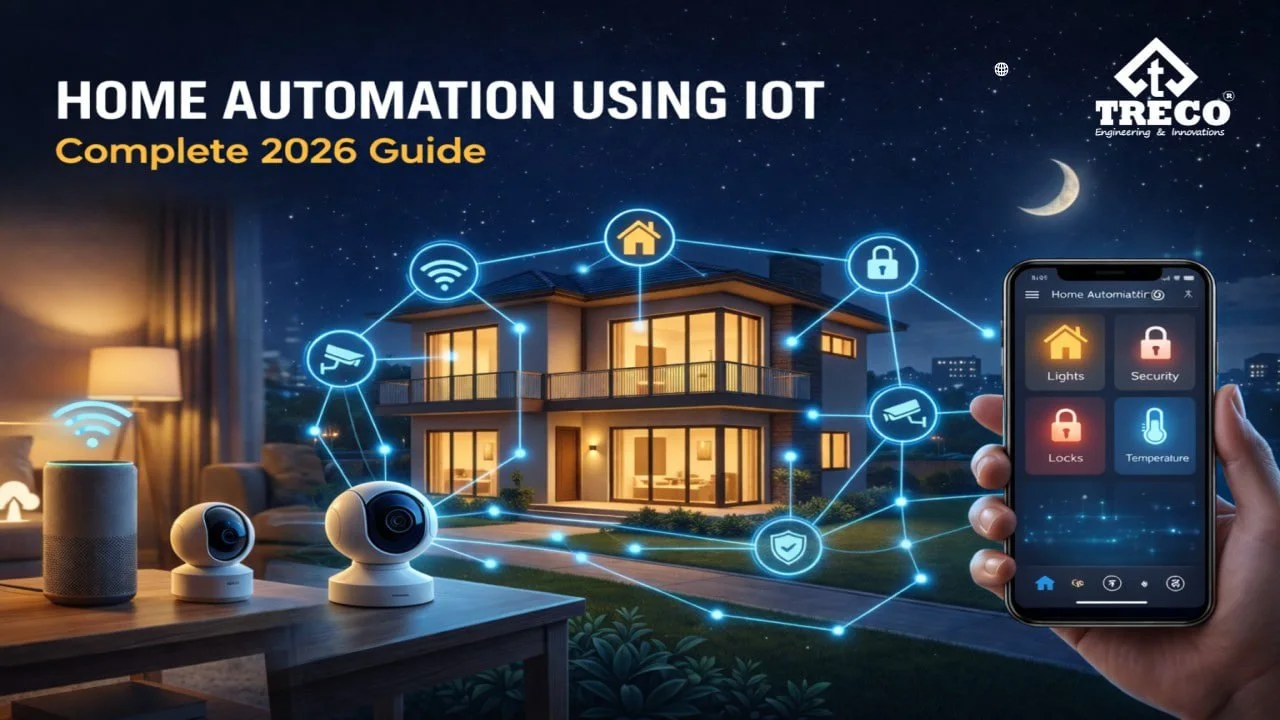
Home automation using IoT connects household electrical controls, sensors and selected devices through a local network or the internet. This IoT based home automation system allows users to operate lighting, fans, curtains, appliances and security functions through a mobile app, smart touch switch, voice interface, schedule or automatic rule.
Unlike a basic remote-controlled device, home automation using IoT creates two-way communication. A user can send a command to a device and also receive its current status, sensor reading or alert. This makes an IoT smart home easier to monitor, automate and expand as new connected devices are added.
Quick Answer: Home automation using IoT links a user interface, communication network, controller and connected device. In an IoT based home automation system, the user or sensor sends a command, the controller processes it, the device performs the required action, and the system sends back a status update. Common connected devices include touch switches, smart modules, motion sensors, lighting controllers and curtain motors.
In This Guide
What Is Home Automation Using IoT?
Home automation using IoT is a connected control arrangement in which electrical devices and sensors exchange data with a controller, gateway or software platform. In practical terms, IoT automation means connected devices can share status or sensor data and respond to commands, schedules or rules. This type of IoT based home automation system may use Wi-Fi, Zigbee, Bluetooth, Ethernet or another supported communication method, depending on the installation and device design.
The purpose of IoT based home automation is not only remote control. It also allows devices to respond to time, occupancy, sensor data and user-defined conditions. For example, a motion sensor can trigger a passage light, a schedule can close curtains in the evening, and a mobile app can show whether a connected light is on or off.
The relationship between the Internet of Things and smart home control is based on connected data exchange. A smart home in IoT uses compatible devices that can send commands, report status and respond to automation rules. In larger installations, smart homes in IoT may combine lighting, sensors, curtains and selected appliances through one coordinated control layer.
Treco’s home automation solutions can be used to plan connected controls for lighting, switches, sensors, curtains and other compatible functions without turning this article into a generic smart-home buying guide.
How an IoT Based Home Automation System Works
An IoT based home automation system follows a clear command-and-response process. In home automation using IoT, a user, sensor or programmed schedule creates an input. That input travels through the supported communication network to a controller or smart module. The controller interprets the instruction and sends an electrical or digital signal to the connected device.
- Input is created: A command comes from an app, touch switch, voice interface, sensor or schedule.
- Data is transmitted: The command moves through Wi-Fi, Zigbee, Bluetooth, Ethernet or another supported network.
- The controller processes it: A controller, gateway or smart module identifies the requested action.
- The device responds: The light, fan, curtain motor, appliance or other connected load performs the action.
- Status is returned: The interface receives confirmation or updated device information.
This feedback loop is a defining feature of IoT home automation. It allows users to know whether a command was completed and enables automation rules to use live sensor or device data.
IoT Home Automation Architecture
The architecture of an IoT home automation setup can be understood through four functional layers. Each layer has a separate role, but all four must communicate reliably for consistent control.
1. Device and Sensor Layer
This layer includes the physical IoT devices for home automation. Smart switches, relay modules, motion sensors, door sensors, lighting controllers and curtain motors either collect information or perform an action. Sensors generate data, while actuators and control modules operate connected loads.
2. Connectivity Layer
The connectivity layer moves commands and data between devices, controllers and user interfaces. Wi-Fi provides direct network connectivity, while Zigbee can support low-power mesh communication between compatible devices. Bluetooth is often used for short-range setup or control, and Ethernet or wired communication may be selected where stable fixed connectivity is required.
3. Controller and Processing Layer
The controller or gateway applies automation logic. It receives information, checks the required rule and sends the appropriate output. In some systems, this processing happens locally inside the property. Other systems use cloud services for remote access, notifications, account management or data synchronisation.
4. Application and User Interface Layer
The application layer is where the user interacts with the IoT smart home. It may include a mobile app, dashboard, touch switch, wall panel or supported voice interface. A well-designed interface should show device names, room groups, scenes, schedules and current status without making daily control complicated.
Home Automation Using IoT Block Diagram
The following block diagram shows the basic information flow used in home automation using IoT. An IoT based home automation system may include additional gateways, cloud services or wired controllers, but the core sequence remains similar.
This home automation using IoT block diagram shows the flow from a user or sensor to the communication network, controller and connected device, with status feedback returning to the interface. A one-way control can send an instruction, but an IoT-connected setup can also return device status, sensor values or alerts. This feedback supports monitoring and more accurate automation.
IoT Devices for Home Automation
The correct device mix depends on the functions being controlled. Five common IoT device examples in a home are smart switches, motion sensors, lighting controllers, curtain motors and door or window sensors. An IoT smart home does not need every available device; the most useful IoT devices for home automation are those that serve a clear control, monitoring, safety or energy-management purpose and remain compatible with the selected controller, communication protocol and electrical load.
- Smart touch switches: Treco’s smart touch switches provide wall-based control while also connecting selected lighting, fan or appliance circuits to the IoT interface.
- Smart relay or retrofit modules: Add connected control behind compatible conventional switches or electrical loads.
- Motion and occupancy sensors: Compatible motion sensors detect movement or presence and can trigger rules for lighting or selected functions.
- Lighting controllers: A planned lighting automation system can manage switching, dimming, scenes and scheduled lighting where compatible fixtures and drivers are used.
- Curtain and blind motors: Treco’s curtain and blind automation options allow compatible curtains or blinds to respond to an app, switch, schedule or scene.
- Door and window sensors: Report open or closed status and can trigger alerts or related automation.
- Gateways and controllers: Coordinate communication between devices, user interfaces and automation rules.
- Smart plugs and appliance controllers: Provide connected switching for compatible plug-in loads within their rated capacity.
Communication Technologies Used in an IoT Smart Home
No single communication technology is suitable for every installation. Device compatibility, property size, network stability, response time and future expansion should be considered before selecting a protocol.
| Technology | Typical Role in IoT Home Automation | Important Consideration |
|---|---|---|
| Wi-Fi | Connects devices directly to the local router and internet | Depends on network coverage, router capacity and secure configuration |
| Zigbee | Creates a low-power mesh network between compatible devices | Usually requires a compatible hub or gateway |
| Bluetooth | Supports short-range setup, pairing or direct control | Range is limited compared with a full-property network |
| Ethernet or wired communication | Provides fixed data connectivity for selected controllers and interfaces | Requires suitable wiring and installation planning |
| Cloud connection | Enables remote access, notifications and account-based services | Some features depend on internet availability and service configuration |
Local Control and Cloud Control in IoT Home Automation
Home automation using IoT may use local control, cloud control or a combination of both. In an IoT based home automation system, local control processes commands inside the property. It can provide quick response and may allow selected functions to continue when the external internet connection is unavailable.
Cloud control routes selected data or commands through an online service. This can enable remote access, notifications, user accounts and supported integrations. However, cloud-dependent functions require internet access. For reliable home automation in IoT, essential daily controls should be planned so users still have a practical wall switch or local control method where possible.
Real-World Uses of Smart Home Automation Using IoT
Smart home automation using IoT is most effective when it solves a specific everyday need. A simple example of IoT in the home is a motion sensor detecting movement after dark and telling a connected controller to switch on a passage light for a defined period. The system can also reduce repeated manual actions, provide useful status information or coordinate multiple compatible devices through one rule.
IoT Lighting Control
Connected lighting can be operated from touch switches, mobile interfaces, sensors and schedules. A scene may switch several compatible lights together, while an occupancy rule can turn selected lights off after a defined period without movement.
IoT Sensor Automation
Sensors allow the system to respond to conditions instead of waiting for a manual command. A motion sensor may activate corridor lighting, while a door sensor may send a status update or trigger another compatible action.
IoT Curtain Control
Connected curtain motors can respond to wall controls, mobile commands, schedules or scenes. For example, a morning schedule can open selected curtains, while an evening scene can close them with compatible lighting changes.
Remote Status and Alerts
When supported by the selected devices and platform, users can check device status remotely and receive notifications. This is useful for confirming whether a connected circuit is on, monitoring a sensor event or managing access-related devices.
Illustrative IoT Home Automation Project Flow
A practical home automation using IoT project can be understood by mapping each room, connected device, control input and automation rule before installation. When comparing home automation companies in India, it is useful to ask how the proposed devices, controls and network dependencies will work together. This example is a planning illustration, not a claim about a specific completed project. In a three-bedroom apartment, wall touch switches can provide normal daily control, motion sensors can automate selected passages, a controller can manage scenes and schedules, and compatible curtain motors can respond to the same interface. The design should preserve local operation for essential loads and use cloud access only for functions that genuinely require remote connectivity.
| Room or Area | Possible IoT Devices | Example Rule |
|---|---|---|
| Entrance | Door sensor and lighting control | Switch selected entrance lights when the door opens after dark |
| Living room | Touch switches, lighting controller and curtains | Recall a movie scene with one command |
| Passage | Motion sensor and light relay | Turn on low-level lighting for a defined period |
| Bedroom | Switch panel and curtain motor | Run a bedtime scene while retaining wall control |
Security Requirements for IoT Based Home Automation
Security should be part of the system design rather than an afterthought. Every connected device, user account and network connection creates an access point that must be configured correctly.
- Use trusted devices and supported software rather than unknown low-quality modules.
- Protect the Wi-Fi router with strong encryption and a unique password.
- Use separate, strong passwords for automation accounts and applications.
- Install firmware and application updates supplied by the device provider.
- Remove unused user access and review who can control the system.
- Use secure remote access rather than exposing controllers directly to the public internet.
- Choose professional electrical installation for mains-powered switches, modules and controllers.
Security Evaluation Questions
Ask whether devices support unique identification, secure configuration, software updates, protected data and controlled access. These questions align with the capability-based approach described in the NISTIR 8259 series for IoT cybersecurity.
These measures improve the security and reliability of IoT home automation while reducing the risk of unauthorised control, outdated software or unsafe wiring.
How to Plan an IoT Based Home Automation Setup
Planning should begin with the required functions, not with a long list of devices. Identify the rooms, circuits and routines that need connected control. Then check wiring, network coverage, device compatibility and the preferred method of local control.
- Define the use cases: Decide whether the requirement is lighting, sensors, curtains, selected appliances, security integration or a combination.
- Inspect electrical wiring: Confirm load ratings, neutral availability, switch-box space and installation conditions.
- Check network coverage: Verify Wi-Fi, gateway or wired connectivity in every planned area.
- Select compatible devices: Use products that can communicate through the same controller, protocol or supported integration.
- Preserve local usability: Ensure normal wall-based control remains simple for family members, guests and staff.
- Plan expansion: Leave capacity for additional rooms, sensors or controlled circuits where practical.
- Test automation rules: Confirm that scenes, schedules and sensor actions behave correctly before final handover.
Benefits of IoT Home Automation
The value of IoT home automation comes from connected control and usable data. A correctly planned system can combine several functions without requiring separate manual actions for every device.
| Benefit | How the IoT Connection Helps | Example |
|---|---|---|
| Centralised control | Multiple compatible devices can be accessed through one interface | Control selected lights and curtains from one app |
| Automation | Devices can respond to schedules, scenes and sensor conditions | Passage lights activate after motion is detected |
| Status visibility | Two-way communication can report device or sensor status | Check whether a connected light is on or off |
| Energy management | Rules can reduce unnecessary operation of selected loads | Lights turn off after a room remains unoccupied |
| Scalability | Compatible devices and rooms can be added in phases | Start with lighting and add curtains or sensors later |
Limitations to Consider
An IoT smart home depends on correct product selection and system planning. Weak network coverage can cause delayed commands. Incompatible products may require separate applications or gateways. Cloud-dependent features can stop temporarily during an internet outage, and low-quality devices may have limited update support.
The system must also respect electrical load ratings and wiring conditions. IoT modules should never be treated as simple plug-and-play components when they are connected to mains electricity. Professional installation and commissioning are important for safety, reliability and long-term maintainability.
Conclusion
Home automation using IoT connects user interfaces, communication networks, controllers, sensors and electrical devices in one coordinated flow. The IoT based home automation system receives a command or sensor input, processes it, operates the connected device and returns an updated status.
For effective home automation using IoT, the focus should remain on compatible devices, dependable local control, secure connectivity and clearly defined automation rules. A well-planned IoT setup can support connected lighting, touch switches, sensors, curtains and selected appliances without creating unnecessary complexity.
FAQs
What is home automation using IoT?
Home automation using IoT connects switches, sensors, controllers and compatible devices through a local network or the internet so they can exchange data and respond to apps, wall controls, schedules, scenes or automation rules.
How is IoT used in home automation?
IoT is used in home automation by linking sensors and controlled devices to a controller or smart module. A command, schedule or sensor event is processed by the system, the connected device performs the required action, and status can be returned to the user interface when two-way communication is supported.
What are 5 IoT device examples for a smart home?
Five common IoT device examples for a smart home are smart touch switches, motion sensors, lighting controllers, curtain motors and door or window sensors. Other systems may also use smart plugs, gateways, locks, cameras and appliance controllers.
What does a home automation using IoT block diagram show?
A home automation using IoT block diagram shows how an input from an app, wall control, voice interface or sensor travels through the communication network to a controller and connected device, with device status or sensor feedback returning to the interface where supported.
Can an IoT smart home work without the internet?
An IoT smart home can continue to perform selected local functions without internet access when the system supports local processing and wall-based control. Remote access, cloud notifications and some voice-assistant features may require an active internet connection.
Is IoT home automation secure?
IoT home automation can be more secure when supported devices, protected Wi-Fi, unique passwords, firmware updates, controlled user access and secure remote access are used. Mains-powered switches, modules and controllers should also be installed correctly for electrical safety and reliability.